
Introduction to siteswap
Juggling sequences can be written in a notation called siteswap. Each number in a siteswap sequence encodes how many beats until that prop is thrown again. The simplest form is vanilla siteswap: one prop thrown per beat, hands alternating.
A 3-ball cascade — the first sequence most jugglers learn — is written as “3”, where each ball is thrown the same height, caught in the opposite hand and thrown again three beats later. “531”, “423” and “441” are also valid 3-ball juggling patterns. The sequence “4” represents the 4-ball fountain, where each “4” is thrown and caught in the same hand. A “5” throw is similar to a “3” but thrown higher. A “2” is held in the hand for one beat then thrown, and a “1” is a quick pass to the other hand. However, not everything that can be written in siteswap is a valid, juggleable pattern. For example, in the sequence “432”, the first two props thrown would need to be caught in the same hand at the same time.
There are other types of siteswap, which relax the requirements of vanilla siteswap in some way, distinguished by their notation. These include synchronous, multiplex, synchronous multiplex, and passing, shown here with with examples:
- vanilla: 423
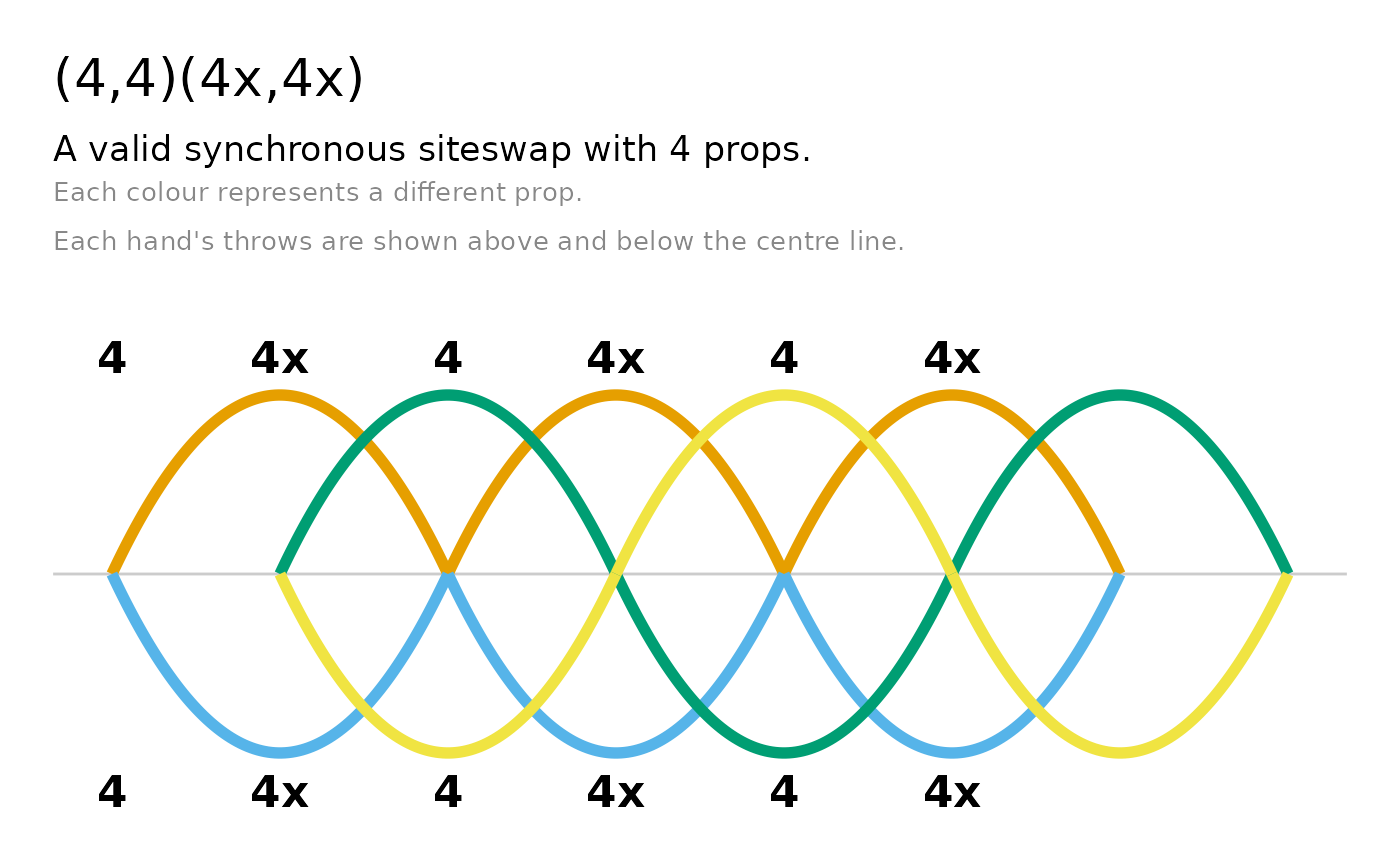
- synchronous (throwing a ball from each hand simultaneously): (4,4)(4x,4x), (4,2x)*
- multiplex (throwing multiple balls from the same hand simultaneously): [54]24
- synchronous multiplex: (2,6x)([6x4x],2x)
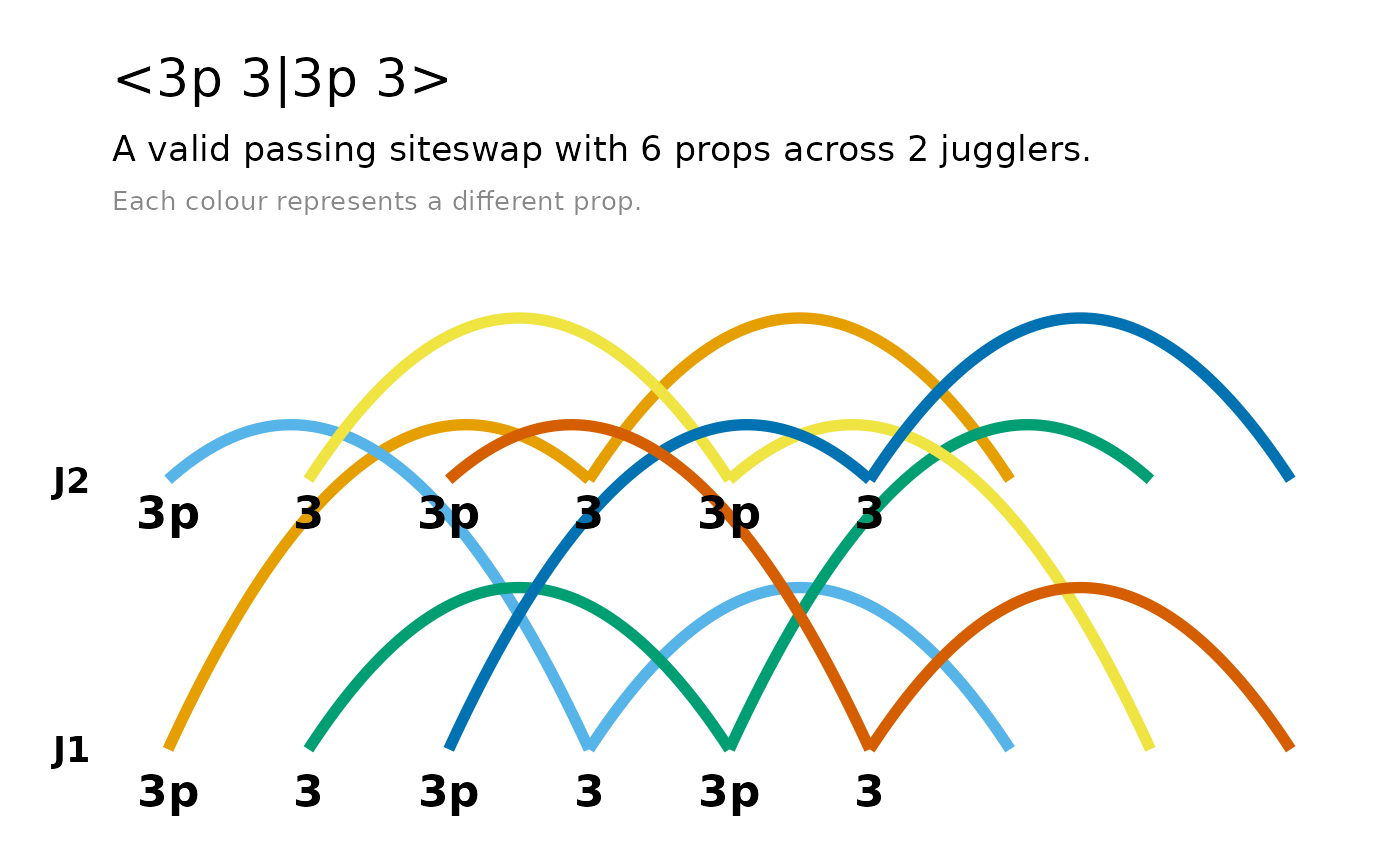
- passing (throwing between more than one juggler): <3p 3 3|3p 3 3>, <4.5 3 3 | 3 4 3.5>
See the Wikipedia article on siteswap for a more detailed introduction to each type and the notation.
Introduction to jugglr
jugglr lets you create, validate, and visualise
siteswap patterns in R. In jugglr, you define a
sequence with the function siteswap(), which creates an S7 object with class
Siteswap as well as a child class corresponding to its
type: vanillaSiteswap, synchronousSiteswap,
multiplexSiteswap,
synchronousMultiplexSiteswap, or
passingSiteswap.
library(jugglr)
ss423 <- siteswap("423")
ss423
#> ✔ '423' is valid vanilla siteswap
#> ℹ It uses 3 props
#> ℹ It is symmetrical with period 3
Note that siteswap() is a factory function. It parses
the sequence to determine the type of siteswap and calls the appropriate
constructor for that type, e.g. vanillaSiteswap(). Each of
these specific classes also has the abstract Siteswap class
as a parent.
Printing a Siteswap object shows the sequence and
whether it is a valid juggling pattern. For valid sequences, it also
reports the number of props the pattern requires, its period (how many
beats before it repeats), and whether it is symmetrical (i.e. whether
both hands do the same thing, just offset in time).
Patterns that cannot be juggled are still Siteswap
objects with the appropriate subclass. Their print method reports that
they are not valid juggling patterns. For patterns that aren’t valid, it
reports why not: either the sequence does not satisfy the average
theorem (i.e. couldn’t be juggled with a whole number of props) or it
has collisions.
ss432 <- siteswap("432")
ss432
#> ✖ '432' is not a valid juggling pattern
#> ℹ Two or more throws land on the same beat (collision)
Visualising the patterns
jugglr implements two types of plots to visualise siteswap sequences,
timeline() and ladder(). They both work across
all siteswap types, returning ggplot2 objects that can be further
customised. In both, the path of each prop is shown in a different
colour, using the colour-blind-friendly Okabe-Ito
palette (up to seven props, after which ggplot2’s default scale
takes over).
timeline() shows the throws and catches of each prop
over time, with a focus on the beat. It draws arcs: each arc represents
one throw, with height proportional to the throw value.
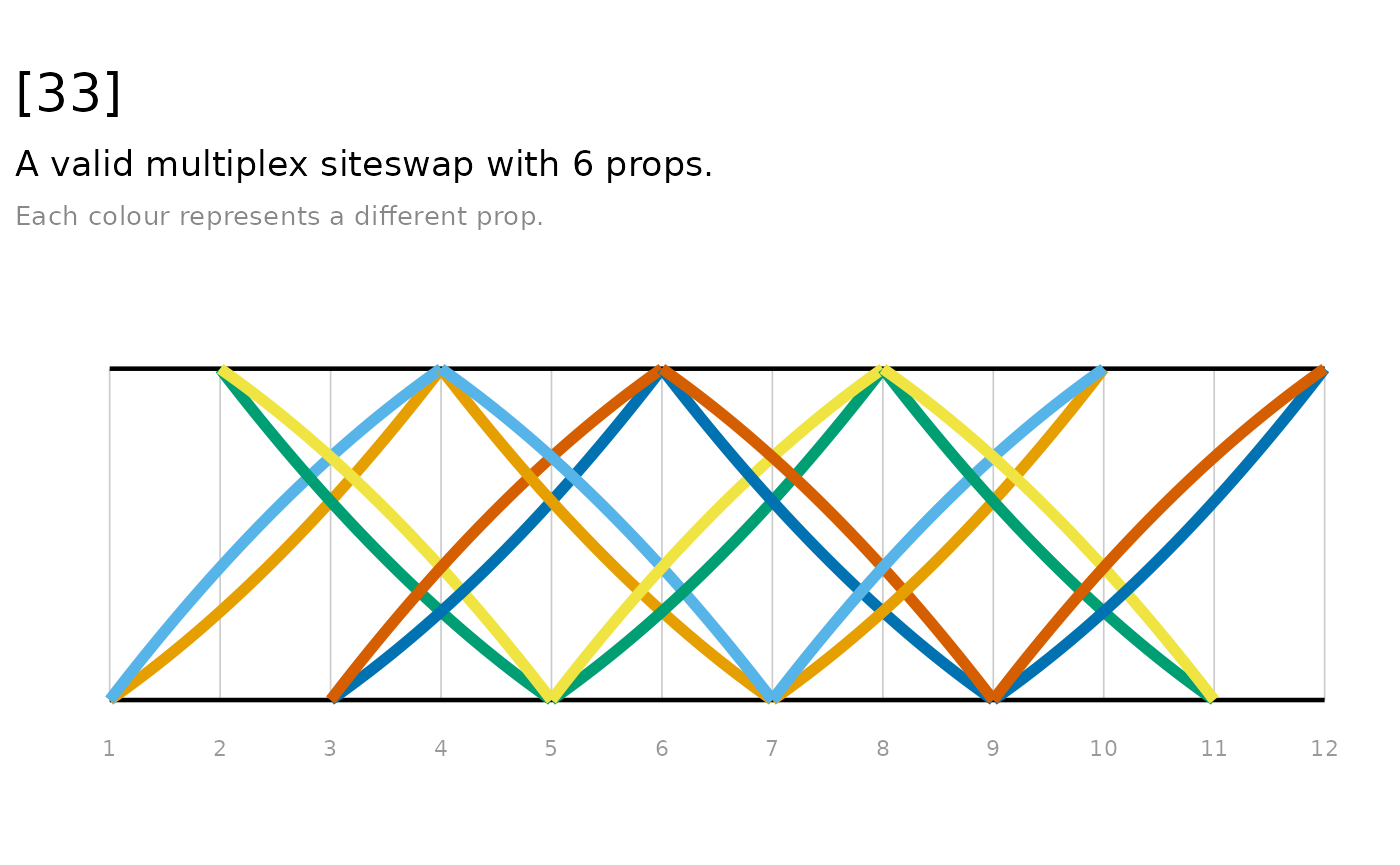
ladder() is also plotted by bear, additionally showing
which hand throws and catches each prop. The ‘rails’ of the ladder
represent the hands, with straight lines between them representing
throws caught in the opposite hand, and arcs representing throws caught
in the same hand.
Note that the plots look better in the vignette on the package website than in the locally installed copy of the vignette.
Vanilla
timeline(ss423)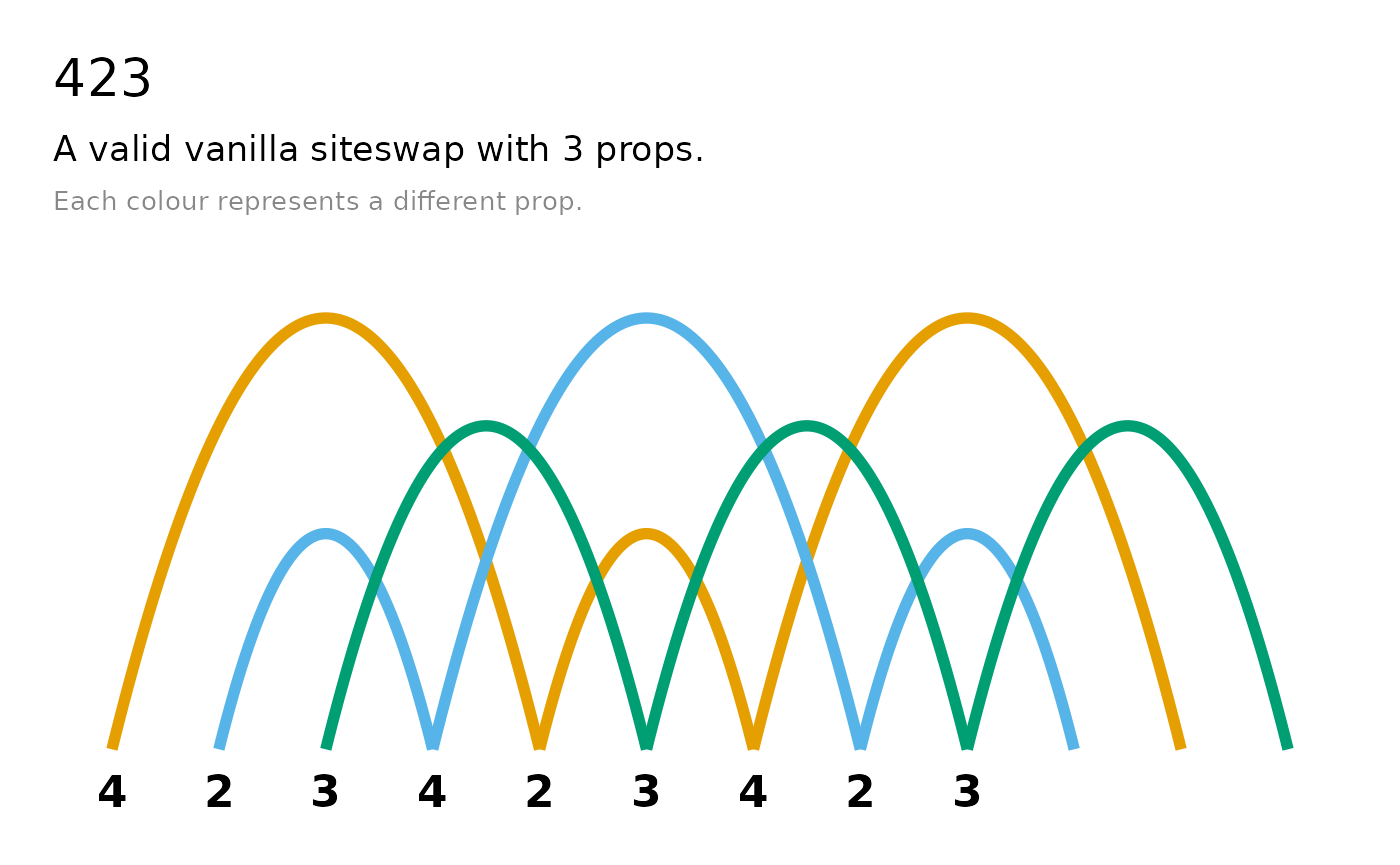
ladder(ss423)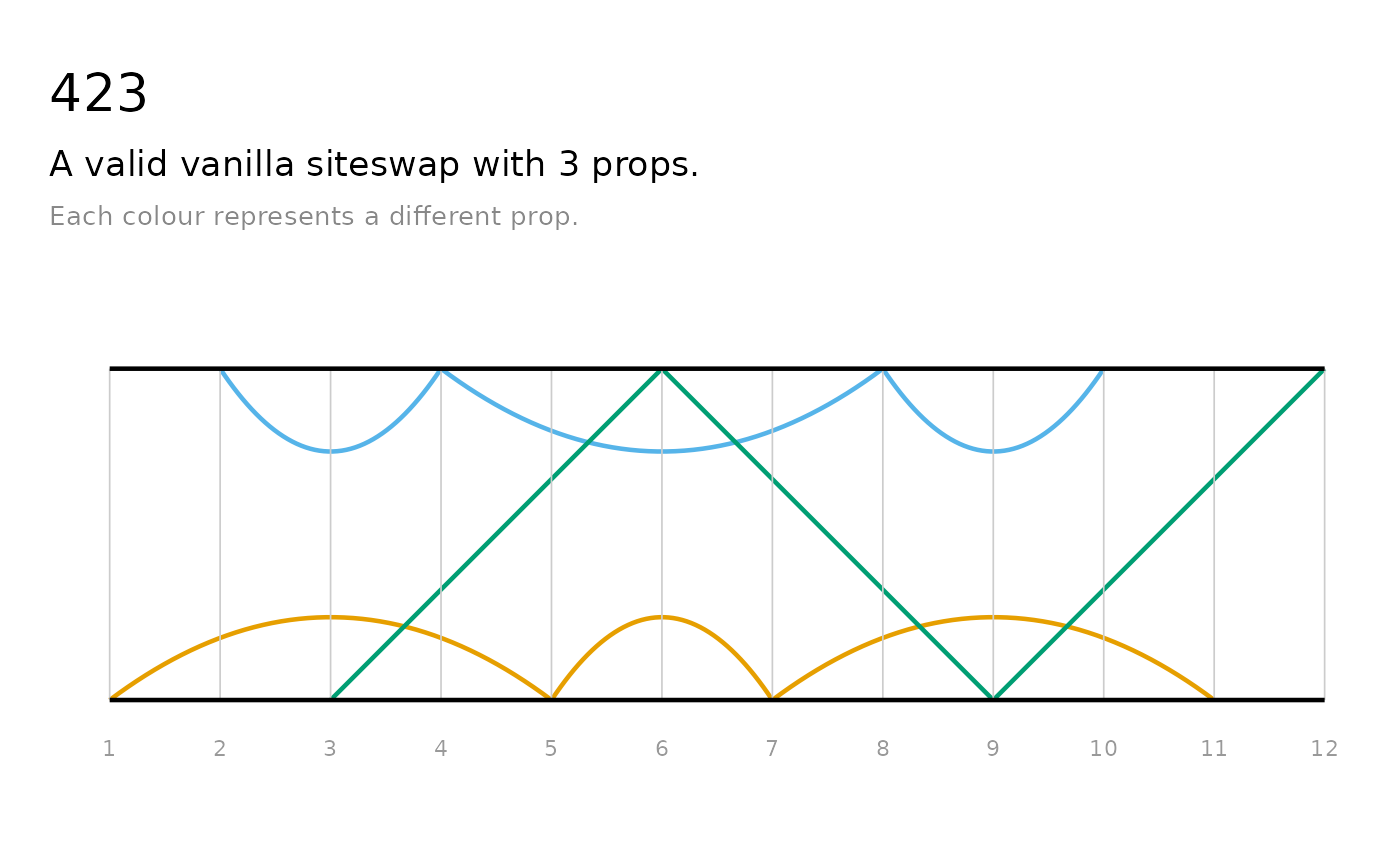
These plots are also useful for understanding why non-valid sequences are not jugglable. We can see, for example, where two props would need to be caught at the same time (which is not permissible in vanilla siteswap), or where props are “created” or “destroyed” (i.e. when the sequence demands that a prop should be thrown or caught, but there’s not a prop available to do so).
timeline(ss432)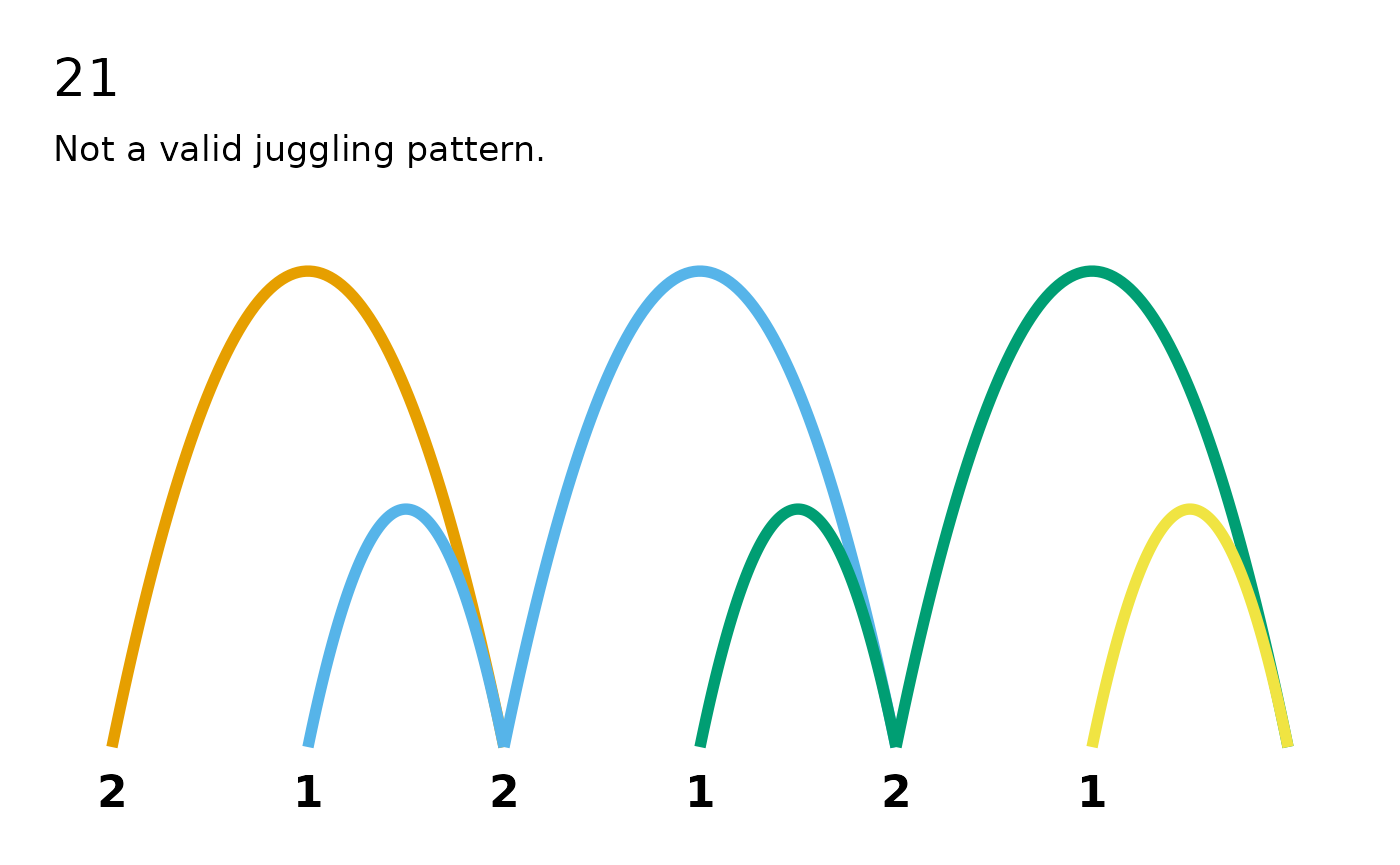
ladder(ss432)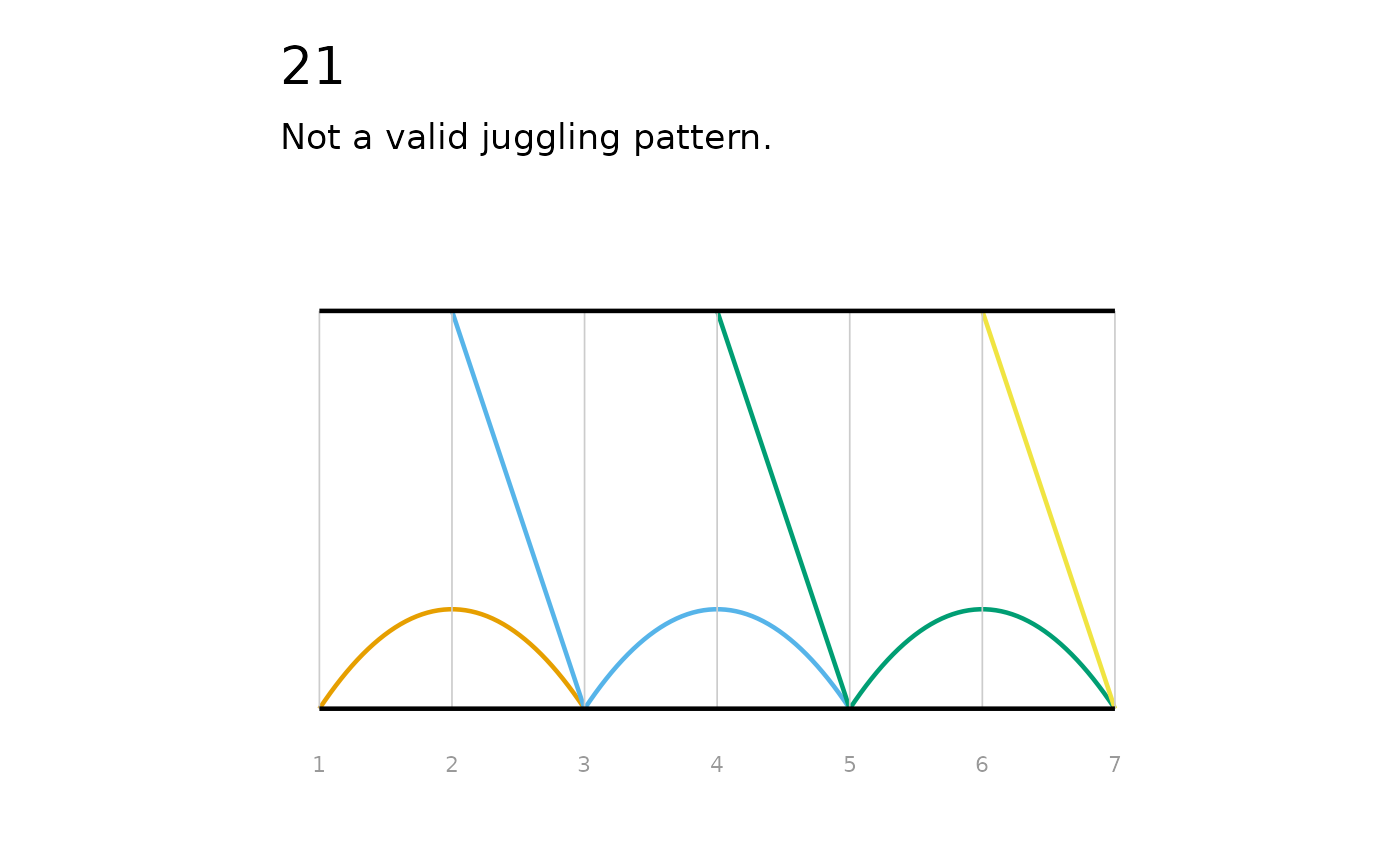
Synchronous
timeline() plots for synchronous patterns are drawn
two-sided: the arcs for props thrown from one hand sit above a faint
centre line, and arcs from the other hand below it.
Multiplex
In multiplex patterns, more than one ball can be thrown from the same hand at the same time.
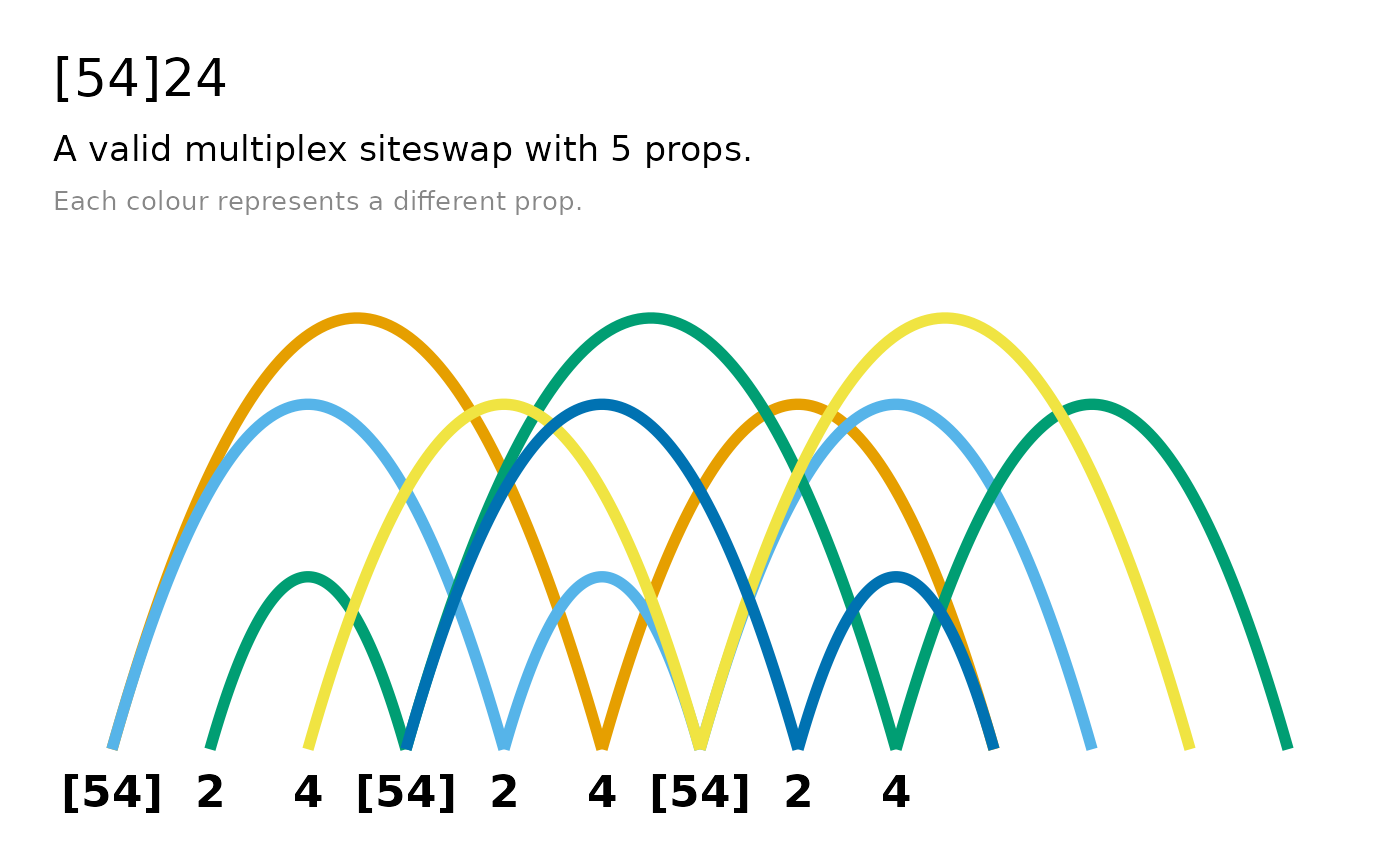
Multiplex patterns in which a hand throws two props at once with the
same value are fanned apart so each prop is visible (which corresponds
to the way jugglers throw them in real life). By default, timelines show
three cycles of the pattern, but you can increase this with the
n_cycles argument - this is recommended for patterns with
short cycles:
Passing
Passing patterns show one lane per juggler, with passes appearing as arcs (or lines) that cross between the juggler lanes.:
Customising the plots
Both timeline() and ladder() have
title and subtitle arguments, which are
TRUE by default - the title shows the sequence and the
subtitle shows the validity and number of props, and explains that
colours represent props. If you prefer to set your own titles, set these
to FALSE and use ggplot2::labs() to add your
own. Since these plots return ggplot2 objects, they can be further
customised with any standard ggplot2 function:
library(ggplot2)
timeline(ss423, subtitle = FALSE) +
  labs(title = "423 or W") +
  scale_colour_manual(values = c("#D4006A", "#006AD4", "#00D46A"))
#> Scale for colour is already present.
#> Adding another scale for colour, which will replace the existing scale.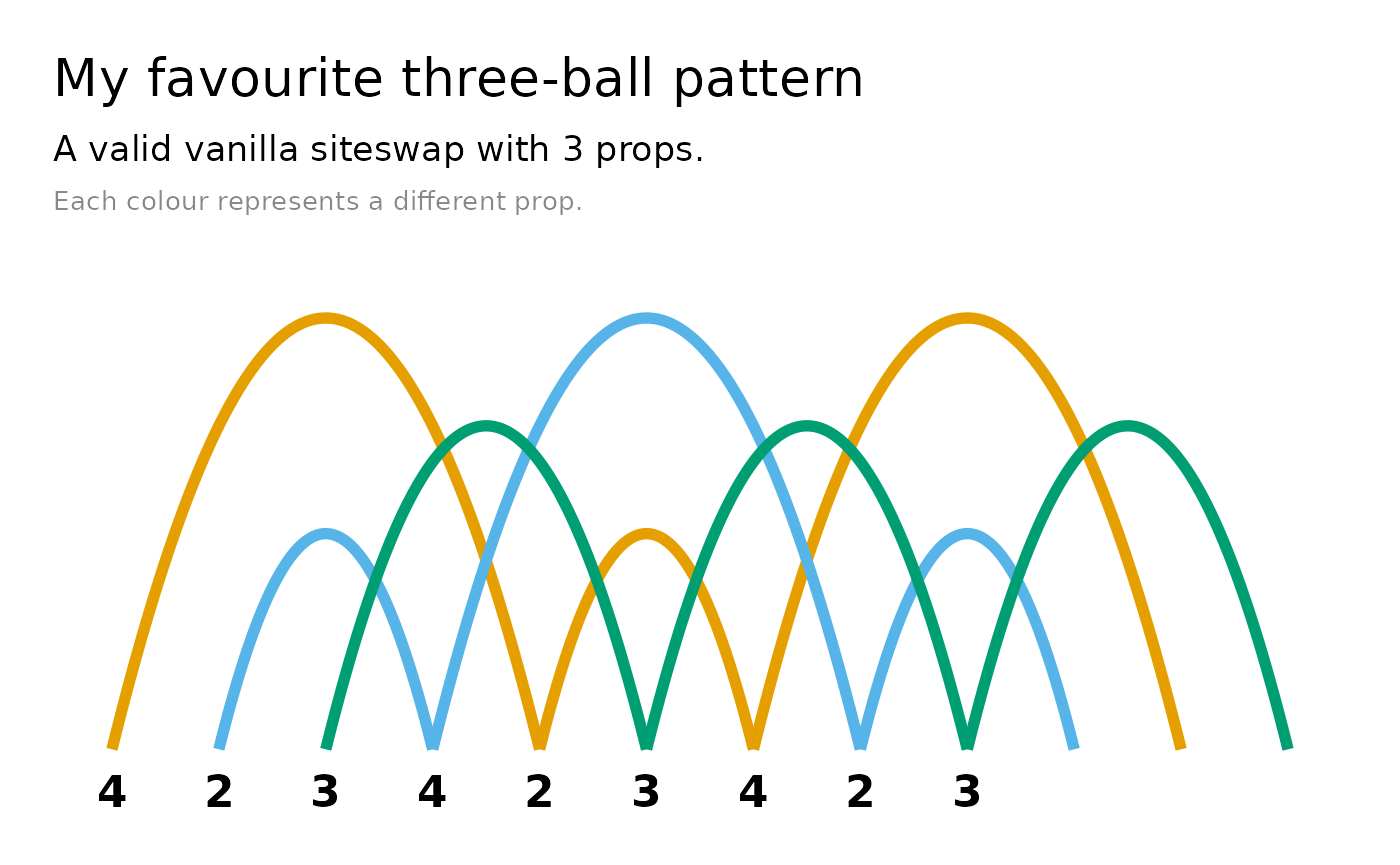
ladder() plots can also be displayed vertically, by
setting the direction argument to "vertical"
or "v".
Throw data
throw_data() returns a data frame with one row per
throw, detailing the beat it’s thrown on, the throw value, the hand that
its thrown from and caught in, and which prop it is. This data underpins
the timeline() and ladder() plots, and
facilitates custom data visualisations.
throw_data(ss423)
#>   beat hand throw catch_beat catch_hand prop
#> 1    1    0     4          5          0    1
#> 2    2    1     2          4          1    2
#> 3    3    0     3          6          1    3
#> 4    4    1     4          8          1    2
#> 5    5    0     2          7          0    1
#> 6    6    1     3          9          0    3
#> 7    7    0     4         11          0    1
#> 8    8    1     2         10          1    2
#> 9    9    0     3         12          1    3
Animation
jugglr can also produce animated GIFs of patterns via the Juggling Lab GIF server:
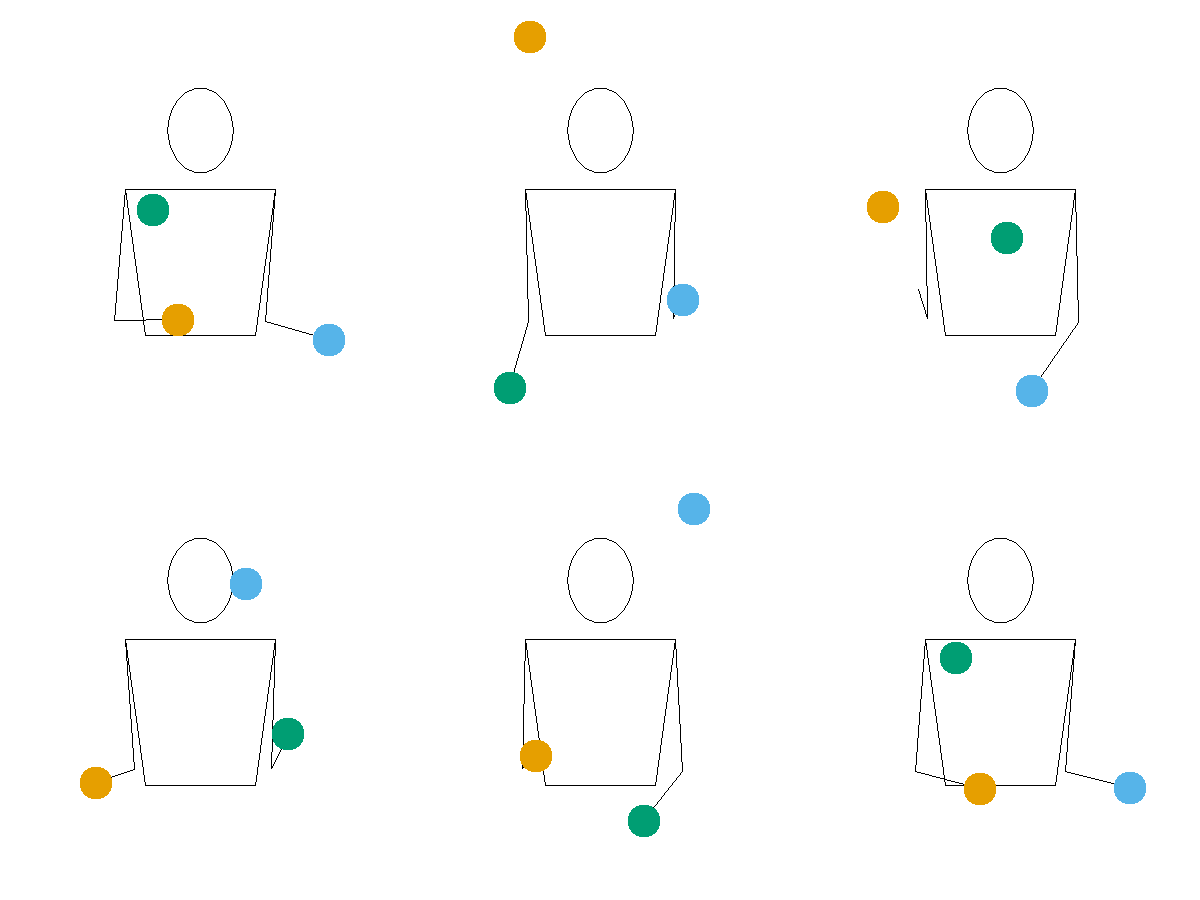
The animation article provides further details.